
Simple Changes to Make Your Home Safer for Low Vision
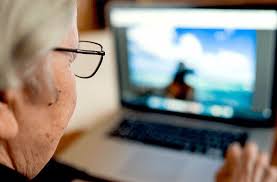
Almost 2 million people in the UK live with sight loss (1 in 30). Of these, 360,000 are registered with their local authority as blind or partially sighted. They have experienced some degree of irreversible sight loss, which glasses or contact lenses cannot correct. (Source: NHS)
The number of people with sight loss is set to increase dramatically, growing to 2.7m by 2030 and could double to 4m by 2050 due to an ageing population and the growing incidence of long-term conditions that cause sight loss, including obesity and diabetes.
You can take steps to help reduce the impact of low vision with keratoconus. The following tips may help you or a loved one better navigate your home safely, maintain more independence, and maintain a higher quality of life.
Think bigger, buy larger
Smaller objects and text can be harder to see. Consider investing in tools to make seeing everyday objects easier to read.
Consider the following:
- Make large, clear labels for the stove, microwave, and other frequently used devices that have small print.
- Use remotes, phones, and small devices that have large displays.
- Have magnifying glasses around the house for seeing smaller objects.
- Ask your pharmacist about using large print for prescription bottles and medication information.
Make use of lights
Lighting can help improve vision when completing tasks.
When lighting your home, keep in mind that the further you are from the light source, the more powerful a bulb you’ll need to achieve the same level of brightness needed to read or complete other tasks.
Some actionable steps include the following:
- Install under-cabinet lighting, closet lighting, and lighting in low-lit areas.
- Check the wattage of the bulbs in the home and increase their power if needed.
- Experiment with bulb types to find the lighting that works best for you.
- Keep lights on during the day to help minimize glare.
Sixty- to 100-watt bulbs or their equivalents often provide adequate lighting in fixtures.

Take steps to reduce tripping hazards
Certain items around the house can be difficult to see but easy to trip over. Taking steps to eliminate clutter can help, but you can also do things such as:
- remove area rugs
- fix any loose boards or carpet
- if possible, even out the flooring so it’s flat
- use zip ties or other devices to keep cords out of the way
- clean up spills immediately
- keep smaller furniture items and fixtures, such as end tables, stools, and other objects out of walking paths
You can also make walkways safer by positioning furniture with wide spaces between them. This can help you or a loved one avoid knocking into furniture while walking around the house.

HEY SIRI! Make use of talking devices
Increasingly, assistive technology comes as standard with the devices you have on your desk or in your pocket.
Tech giants including Apple, Google and Microsoft are working hard to make devices accessible to all. So, you can adjust desktop computers, tablets, and smartphones to make them more accessible if you have sight loss and visual impairments.
In addition, you can buy add-on hardware and software to make devices easier to use. Some devices, from kitchen scales to home assistant devices, have talking features that can help if you have low vision or blindness.
By replacing as many devices as possible with talking features or voice commands, you can help maintain your or your family member’s independence.
Talking devices may allow you to:
- turn off and on lights or electronic devices
- lock and unlock doors
- create shopping lists or reminders
- read audiobooks or articles
- contact loved ones or emergency services
Reading and writing
There are several options available if you’re having problems reading standard text in books, newspapers and magazines.
One of the simplest options is to use a magnifying device that can make print appear bigger to help you read. These can be obtained from a number of places including hospital low-vision services, optometrists, local voluntary organisations, and the RNIB.
The RNIB also has a collection of large-print publications you can borrow, as do most libraries.
You could also use an e-reader to help you read. E-readers are handheld devices that allow you to download books and subscribe to newspapers and magazines on the internet. You can choose a setting that allows you to display text at a larger size. Or you can use text-to-speech software.
The RNIB has more information on text-to-speech in eBooks
If you’re unable to read at all you could listen to audio recordings. You can sign up to the:
- RNIB’s Newsagent scheme, which provides more than 200 magazine and newspaper titles in different formats, such as online or on CD.
- RNIB Talking Books Service, where you can download audio books to listen to on your smartphone, tablet or computer or on a device known as a DAISY player. You can also get books on CD or USB stick, delivered to your door.
You can also install screen-reading software on your computer that will read out emails, documents and text on the internet.
The RNIB has more information about using screen-reading software
There are also voice recognition programmes where you speak into a microphone and the software translates what you say into writing. These programmes can also be used to issue commands, such as closing down the internet and moving from one website to another.
Living with vision loss at any age can be frustrating, but simple changes can increase the quality of life and independence.
In the home, you can take steps to reduce the need for additional help by removing safety hazards, lighting the home well, making use of organization, and investing in some helpful items.

Leave a comment